VillageCRM
The back office behind the service: every customer account, live activity, and a careful way to step inside and help.
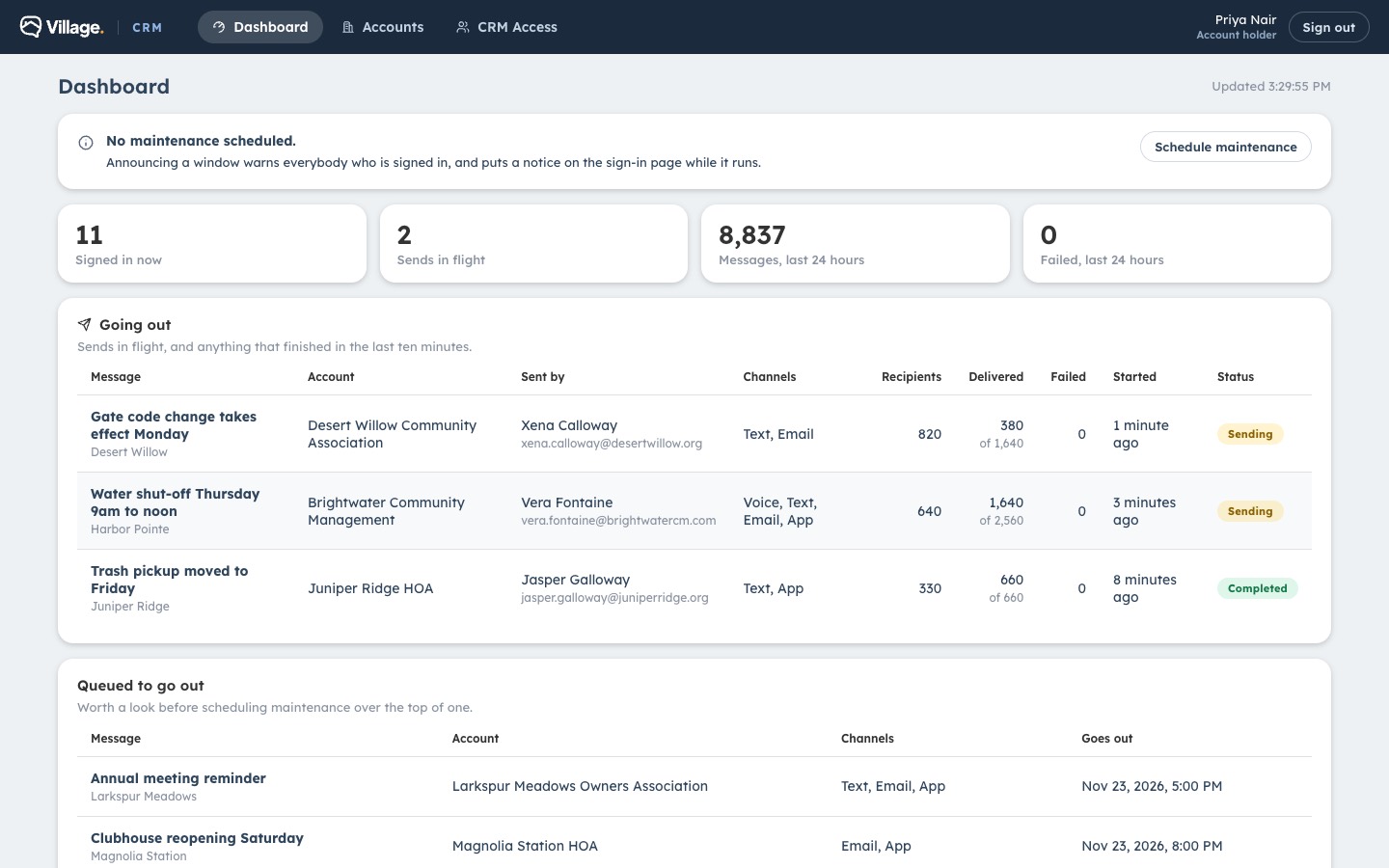
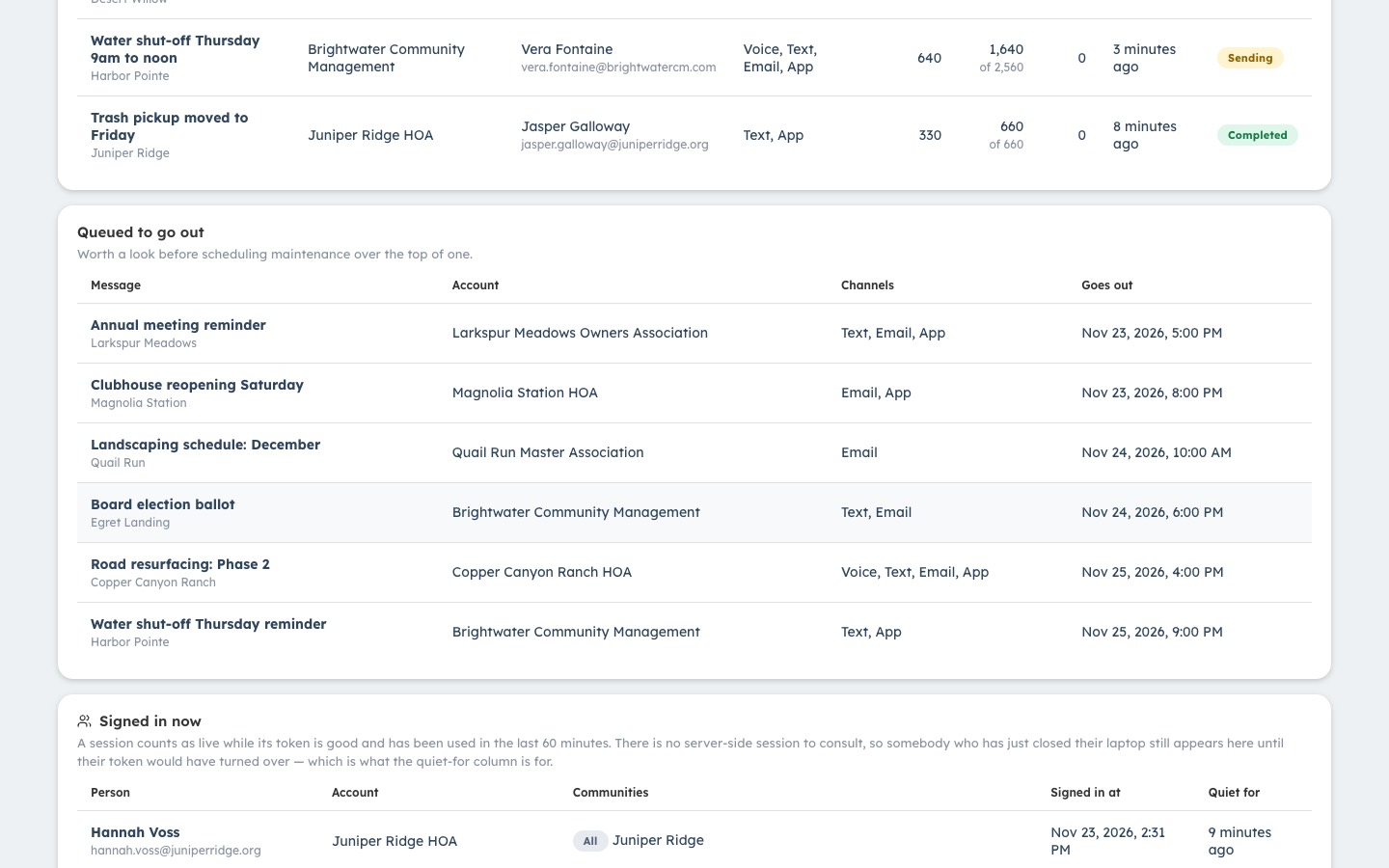
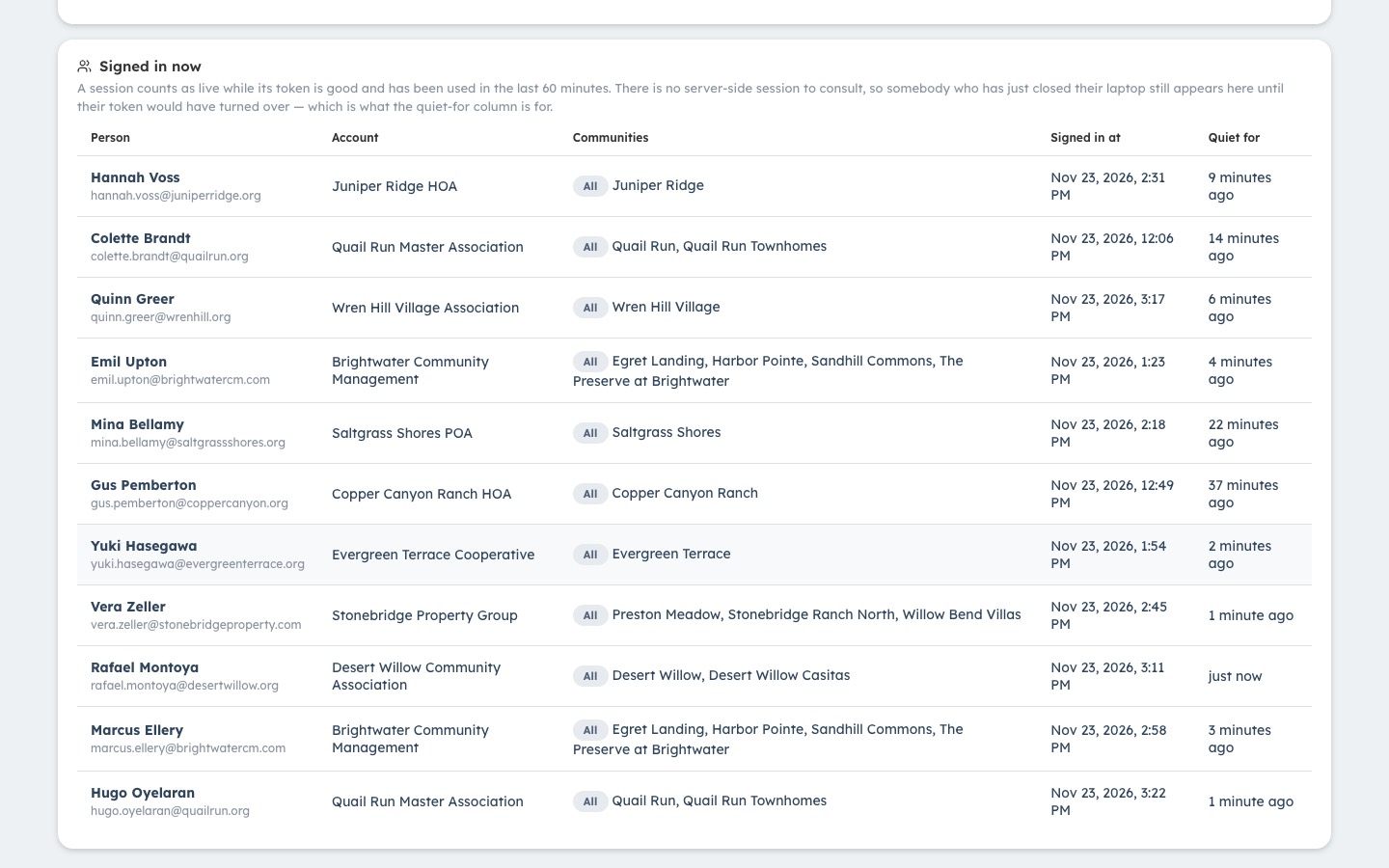
01The dashboard: what is sending, what is queued, and who is signed in
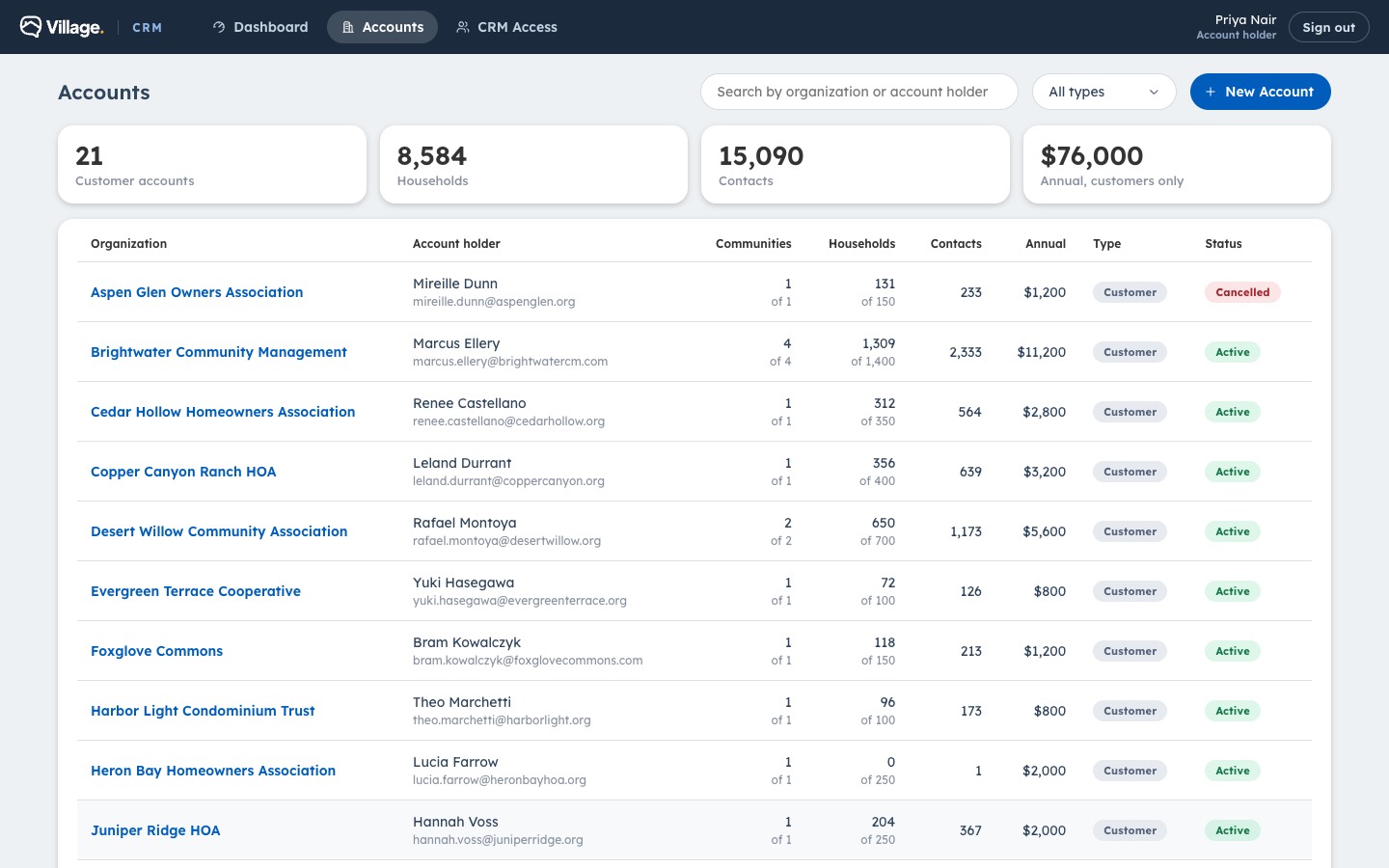
Village's own team runs the service from here. Every customer account sits in one list, with what it bought beside what it is using.
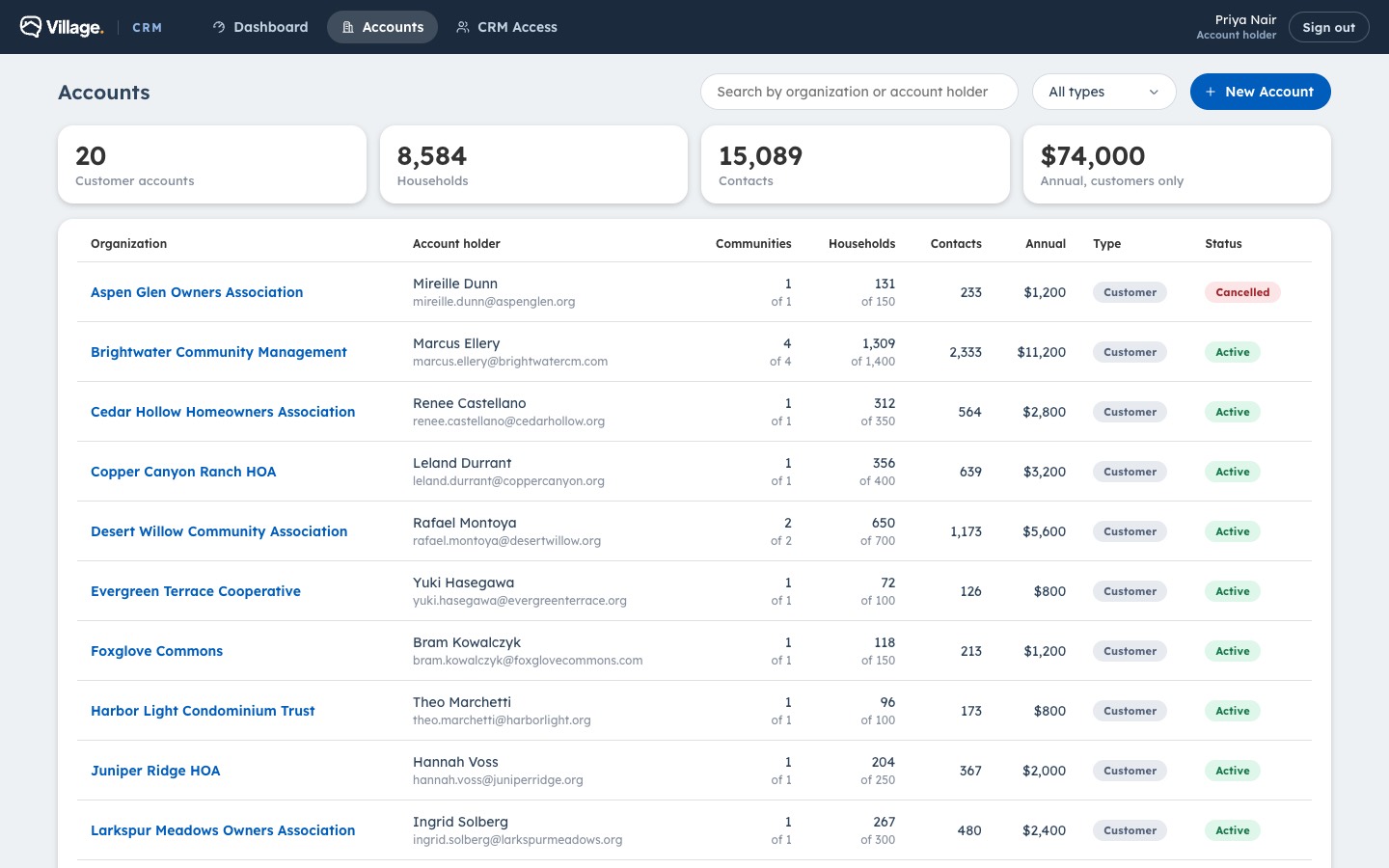
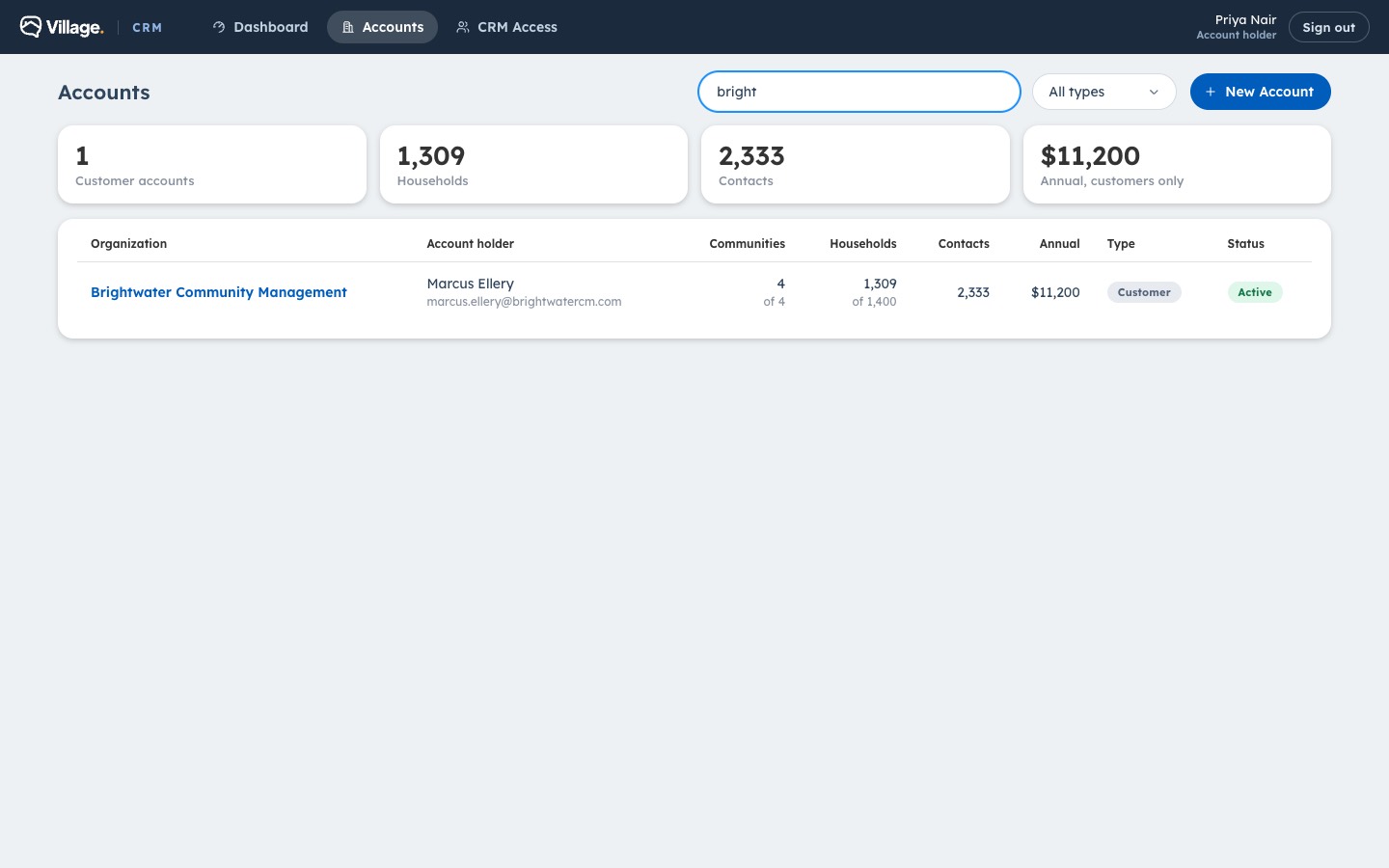
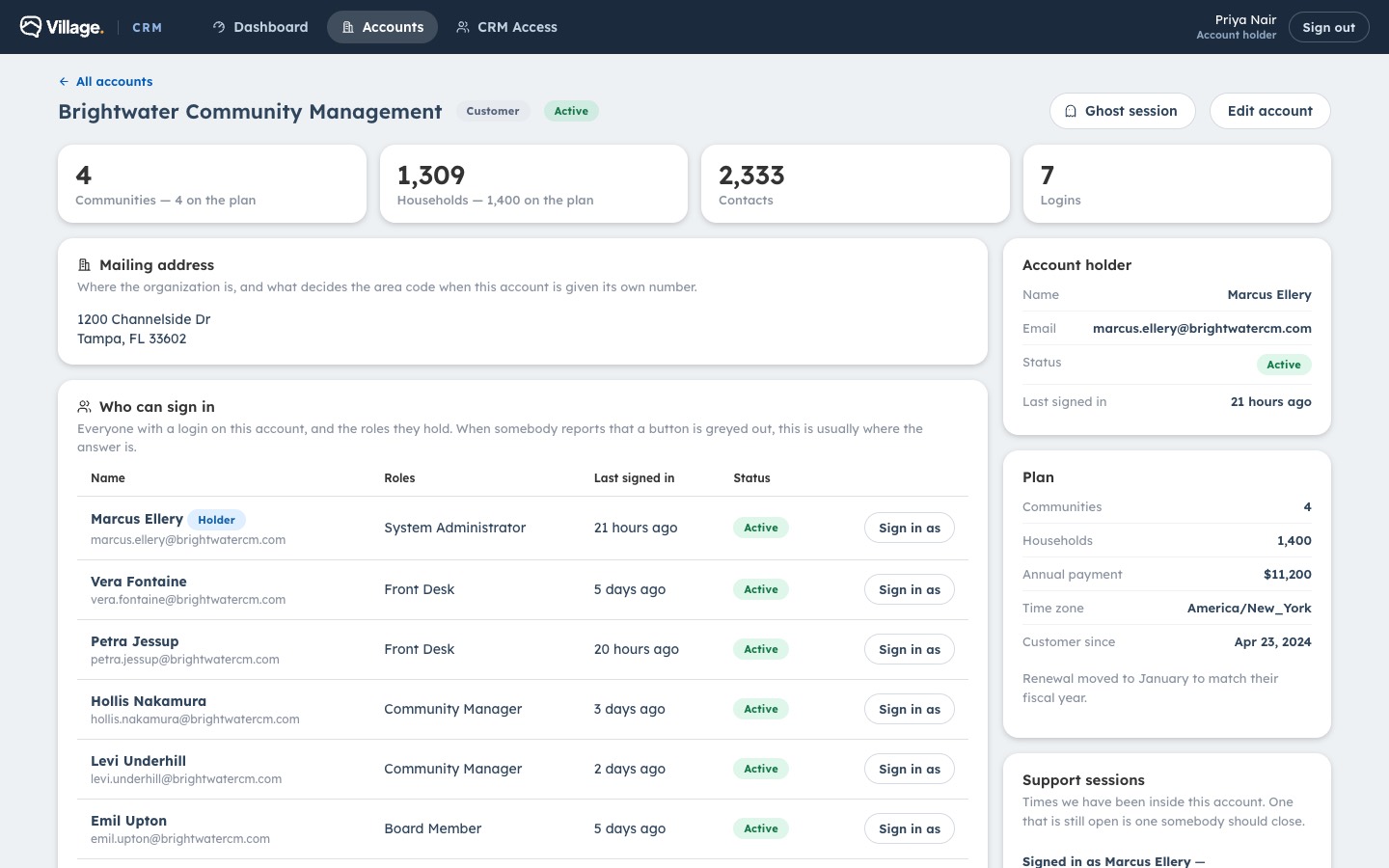
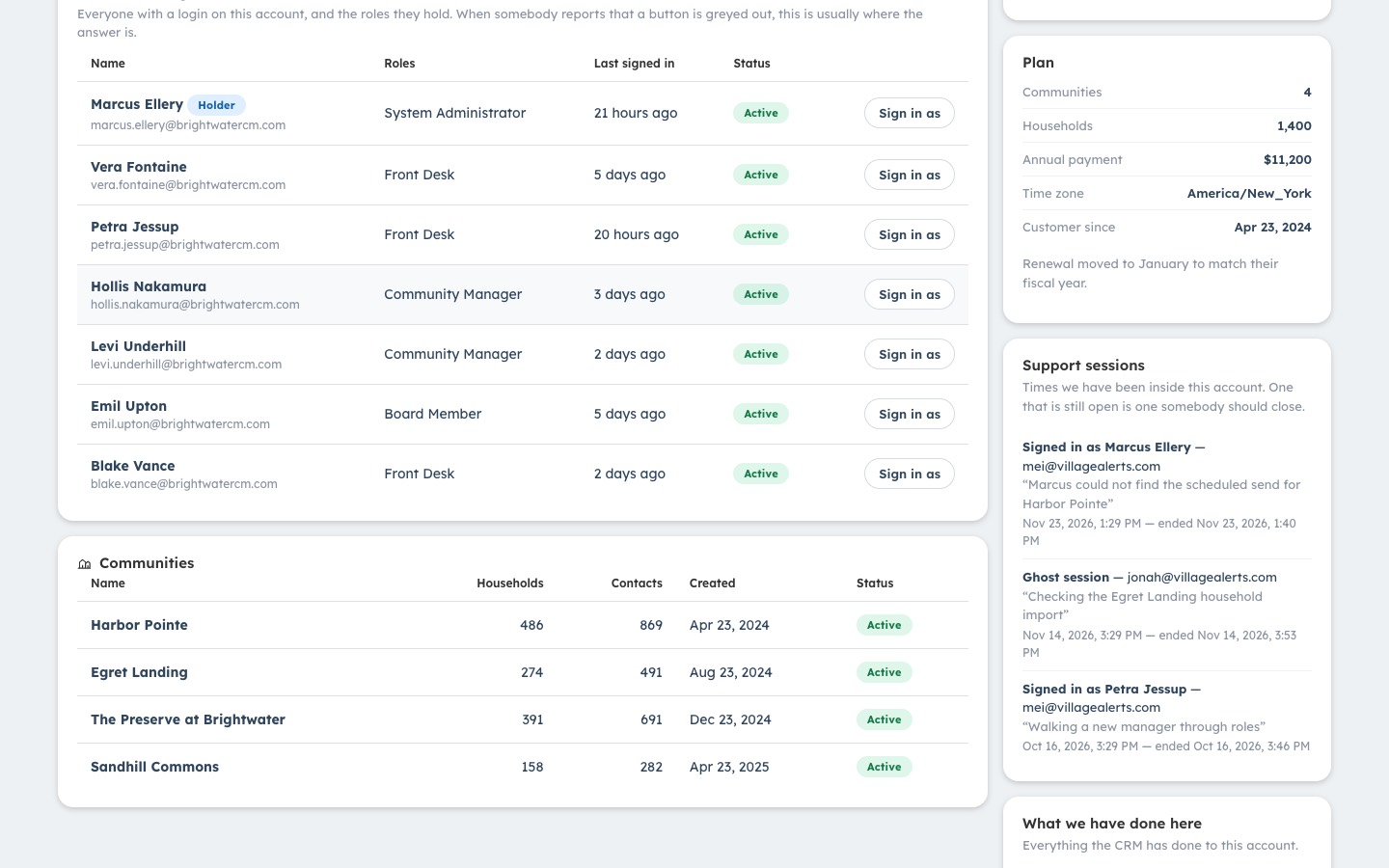
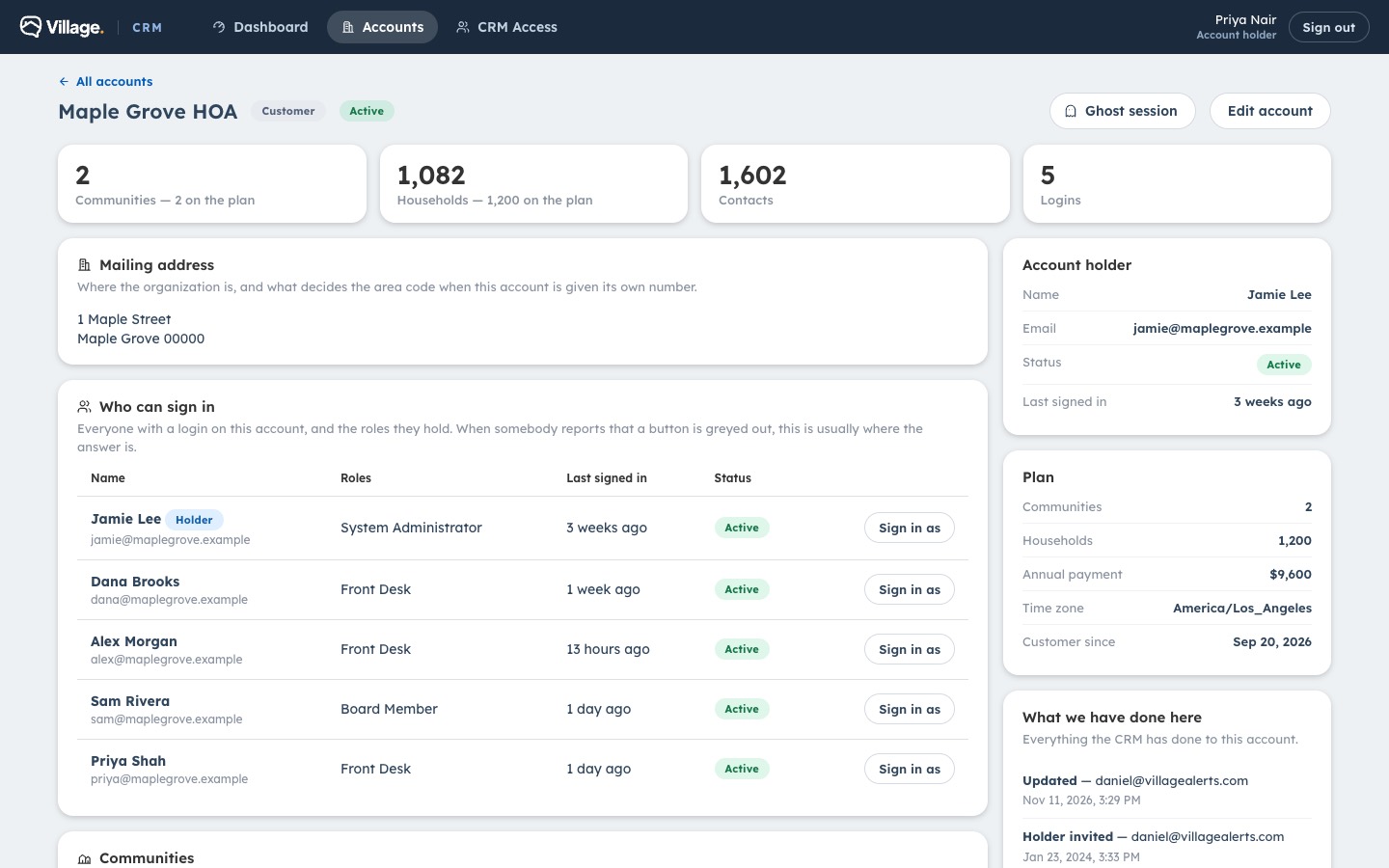
02Accounts: find one, then see its logins, communities and plan
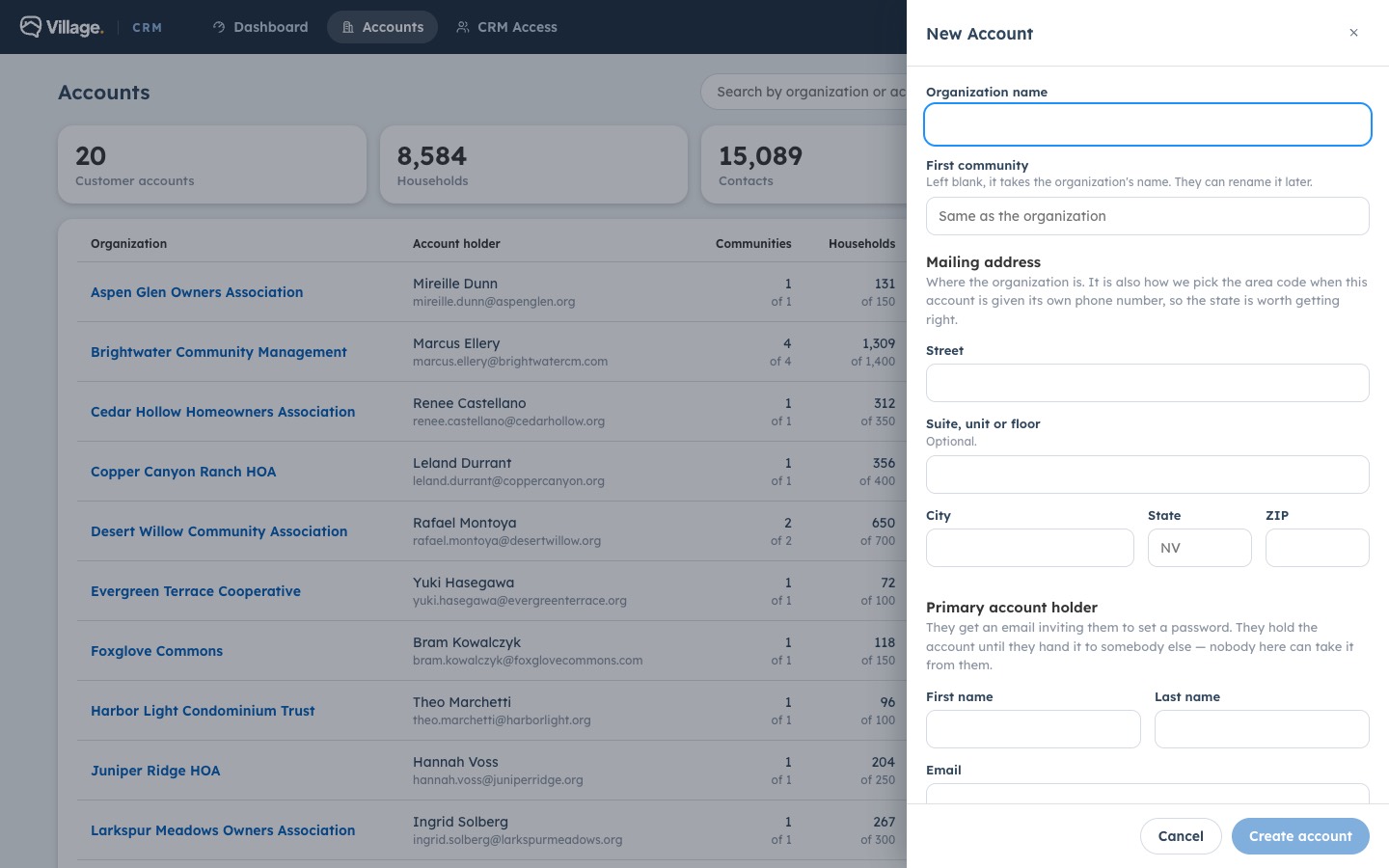
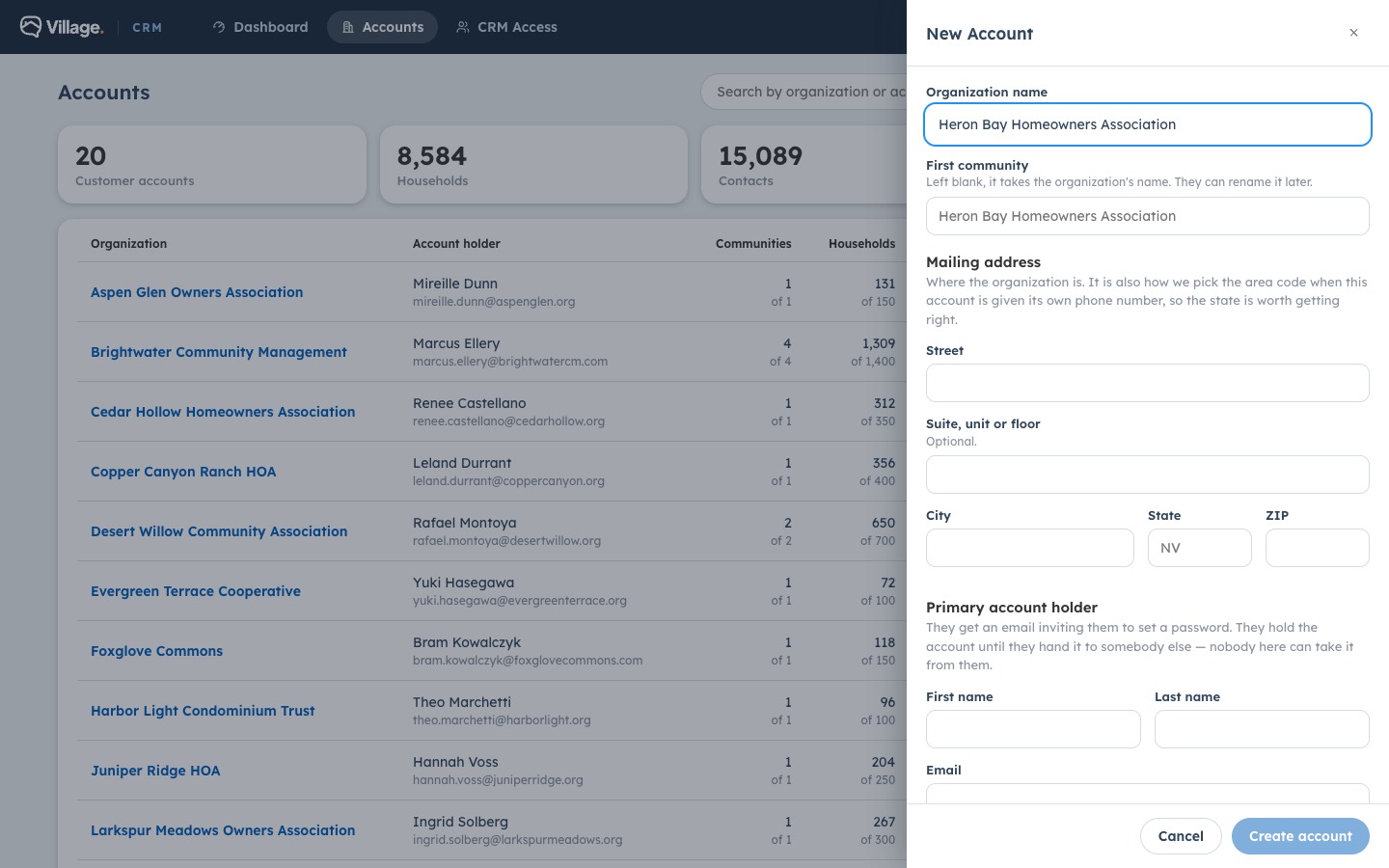
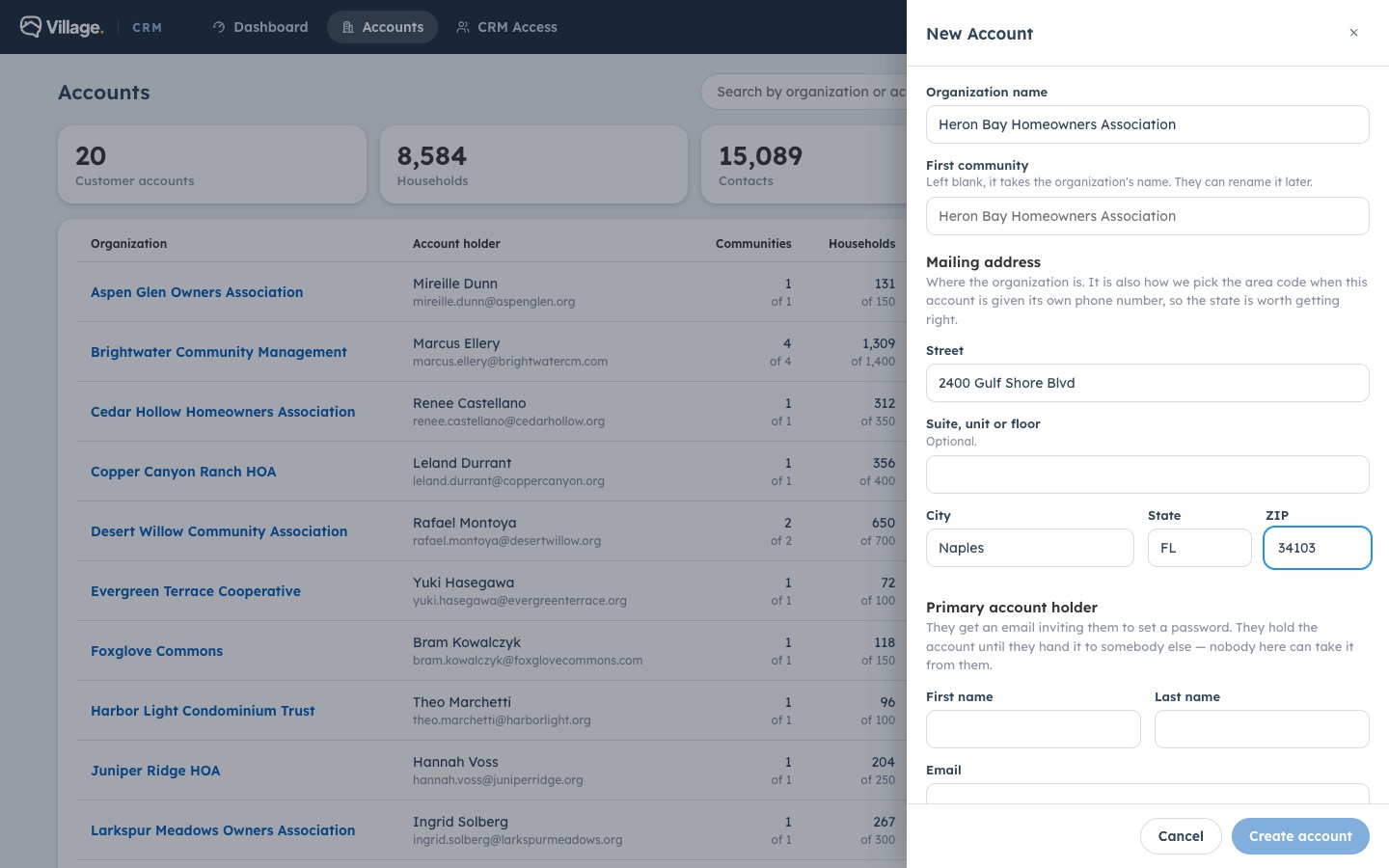
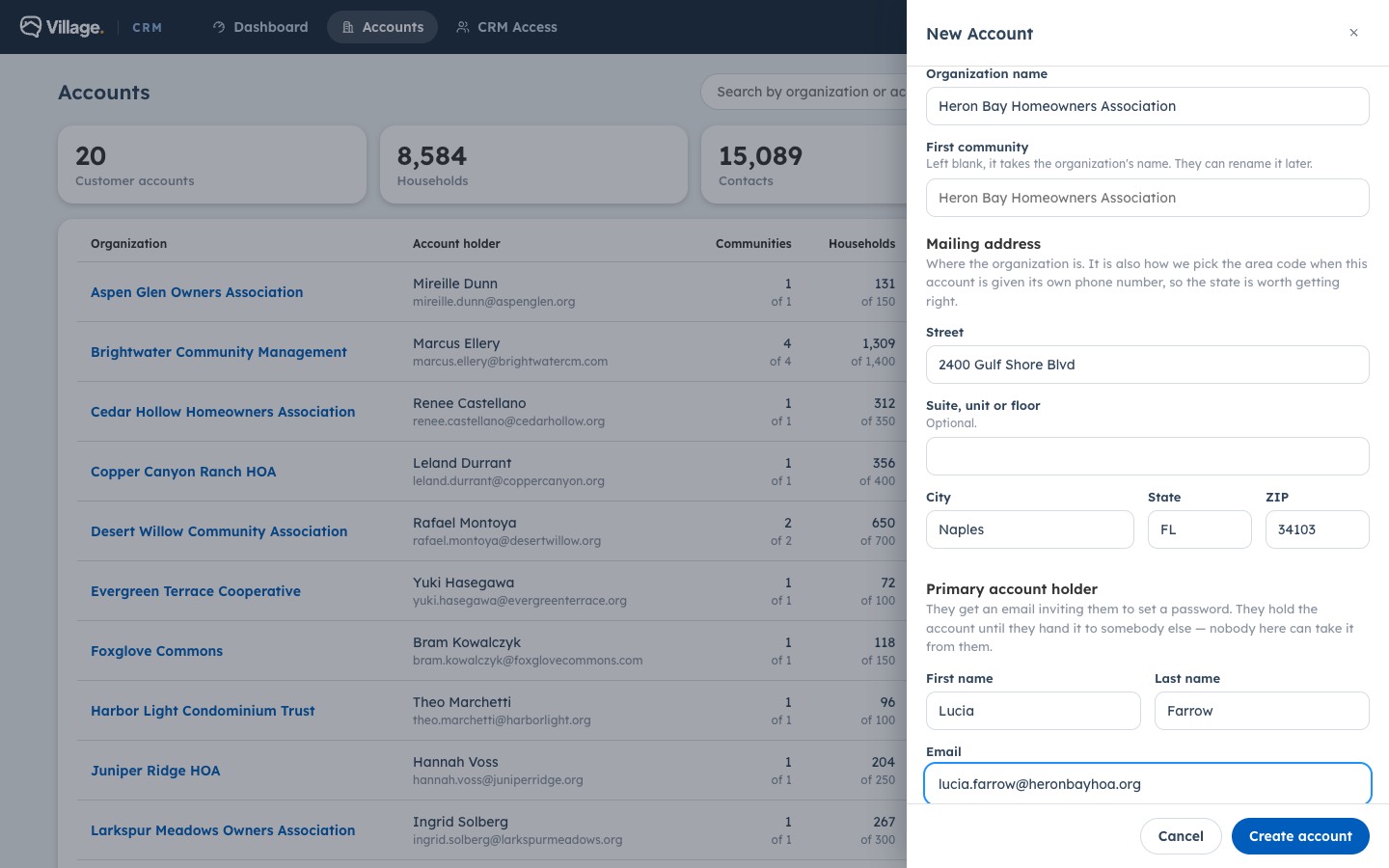
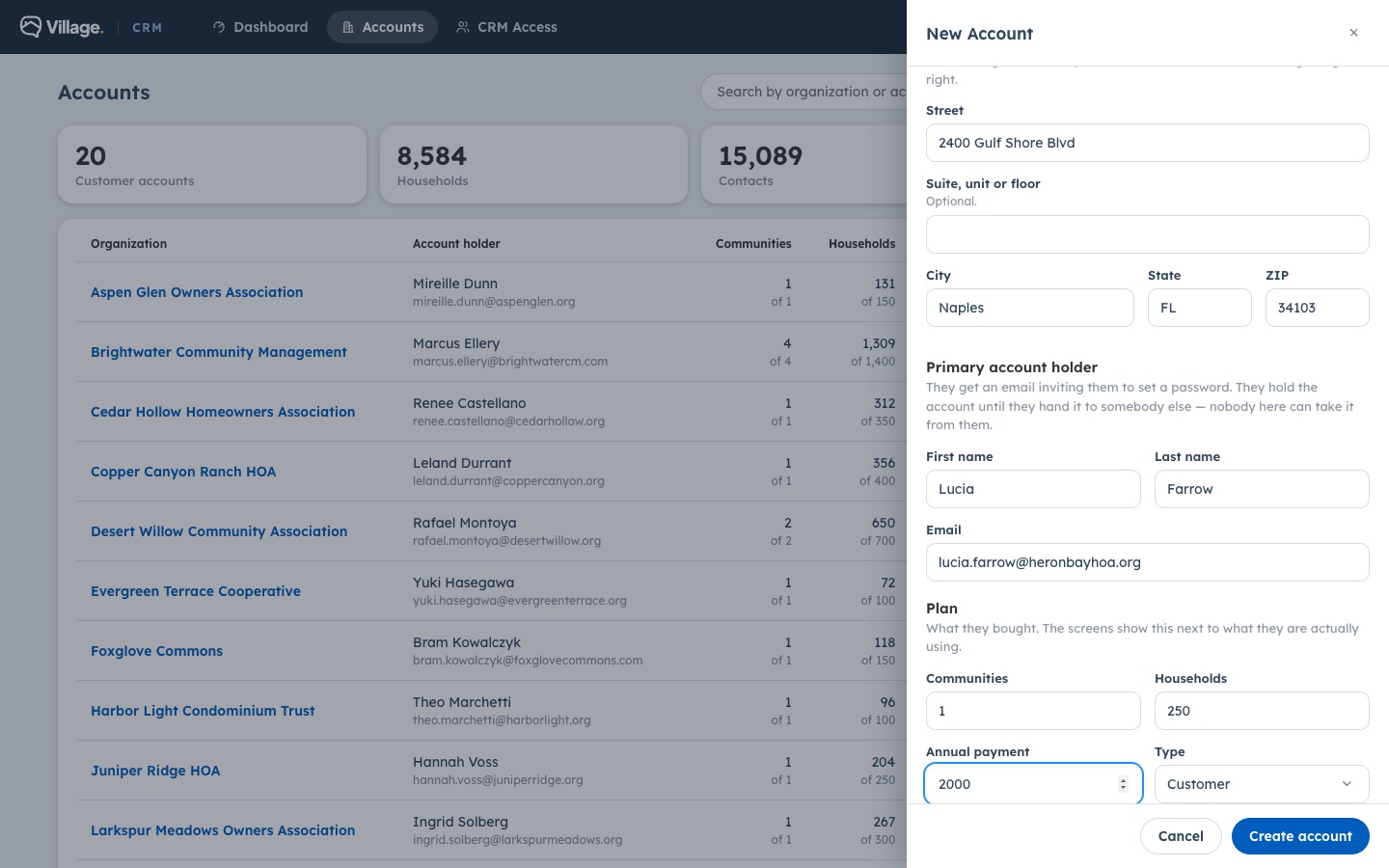
03A new account: the organization, its holder and its plan
When a customer needs help, staff can step inside their account. A ghost session reads everything and can change nothing, and a banner tells the customer who is there.
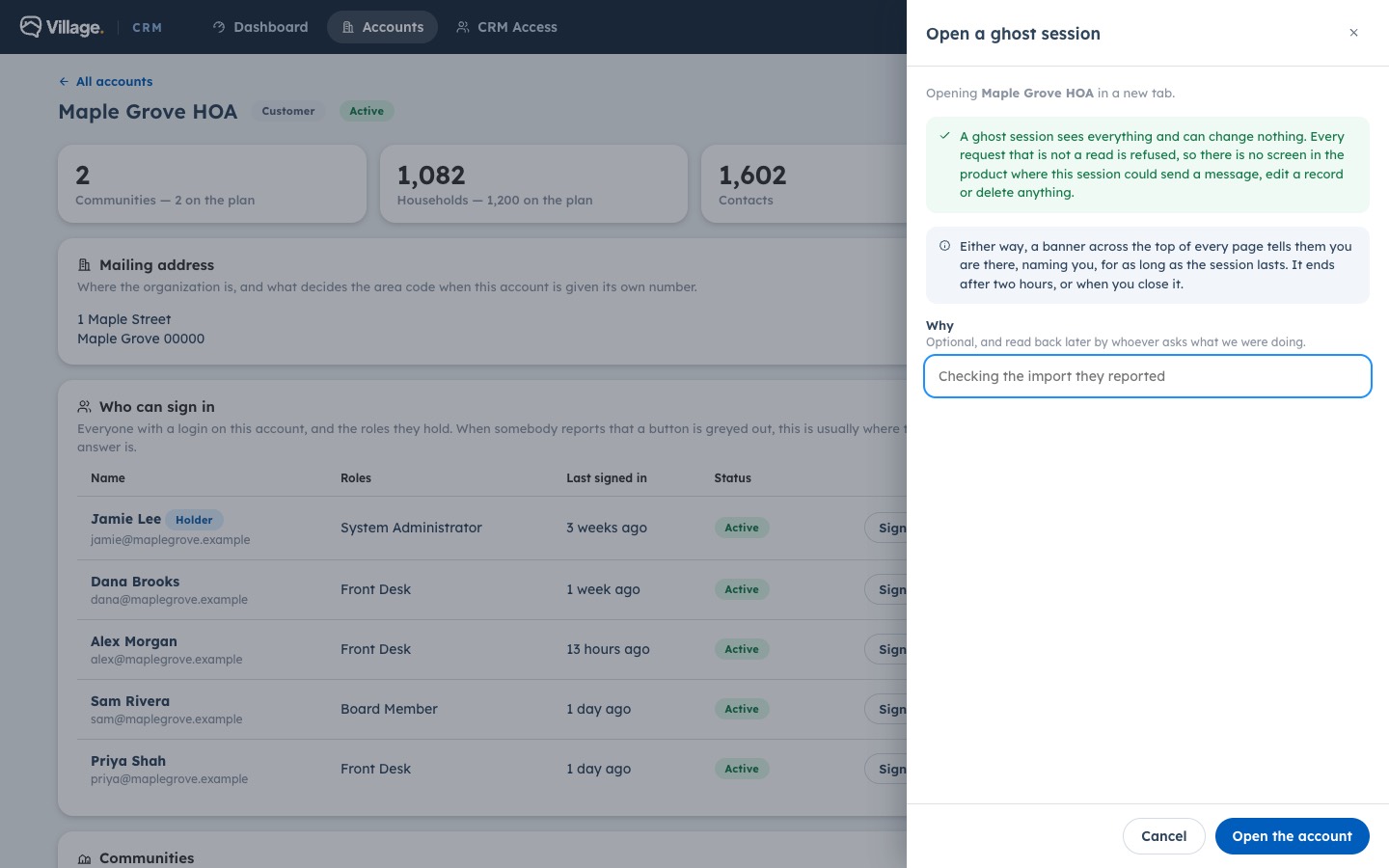
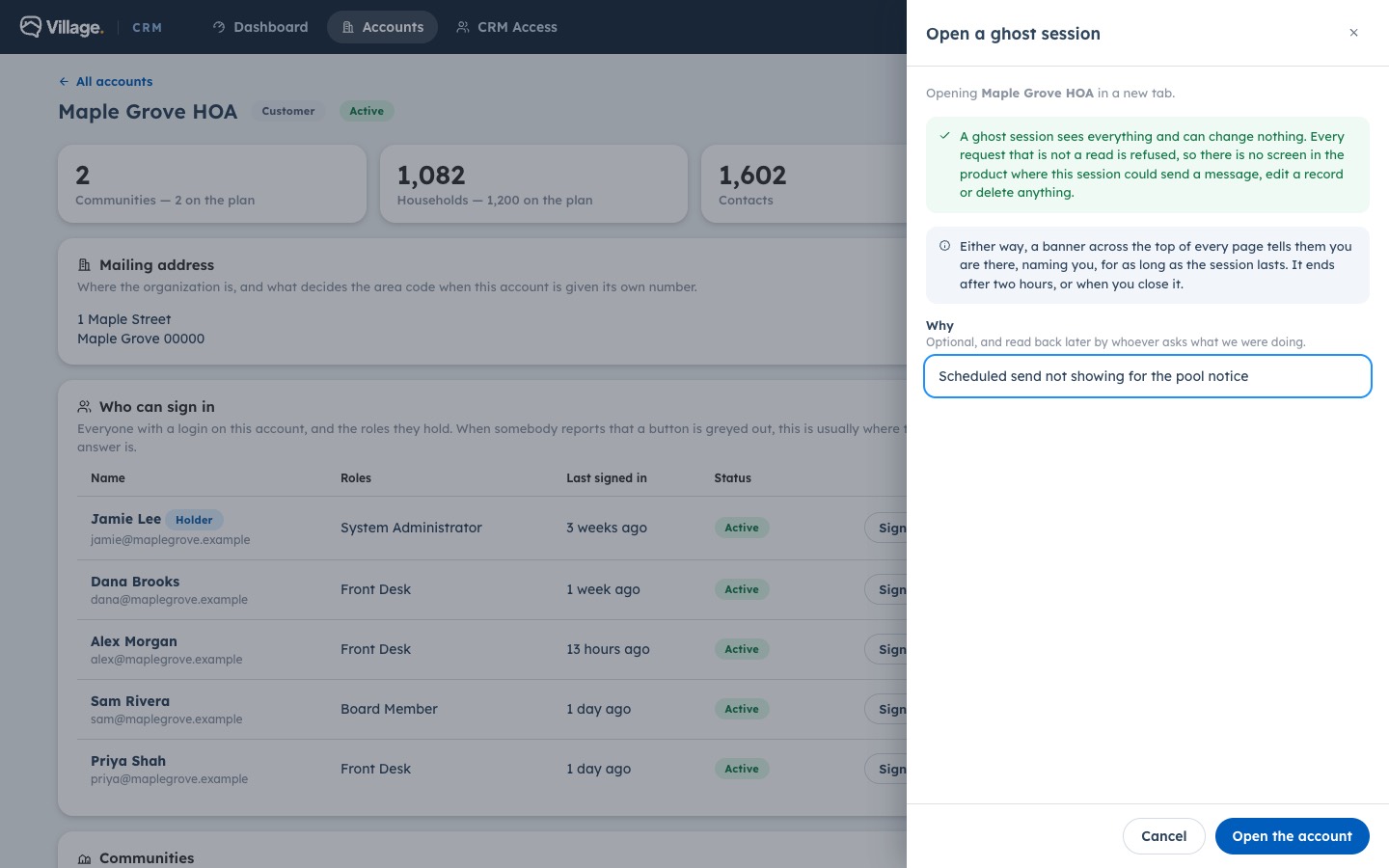
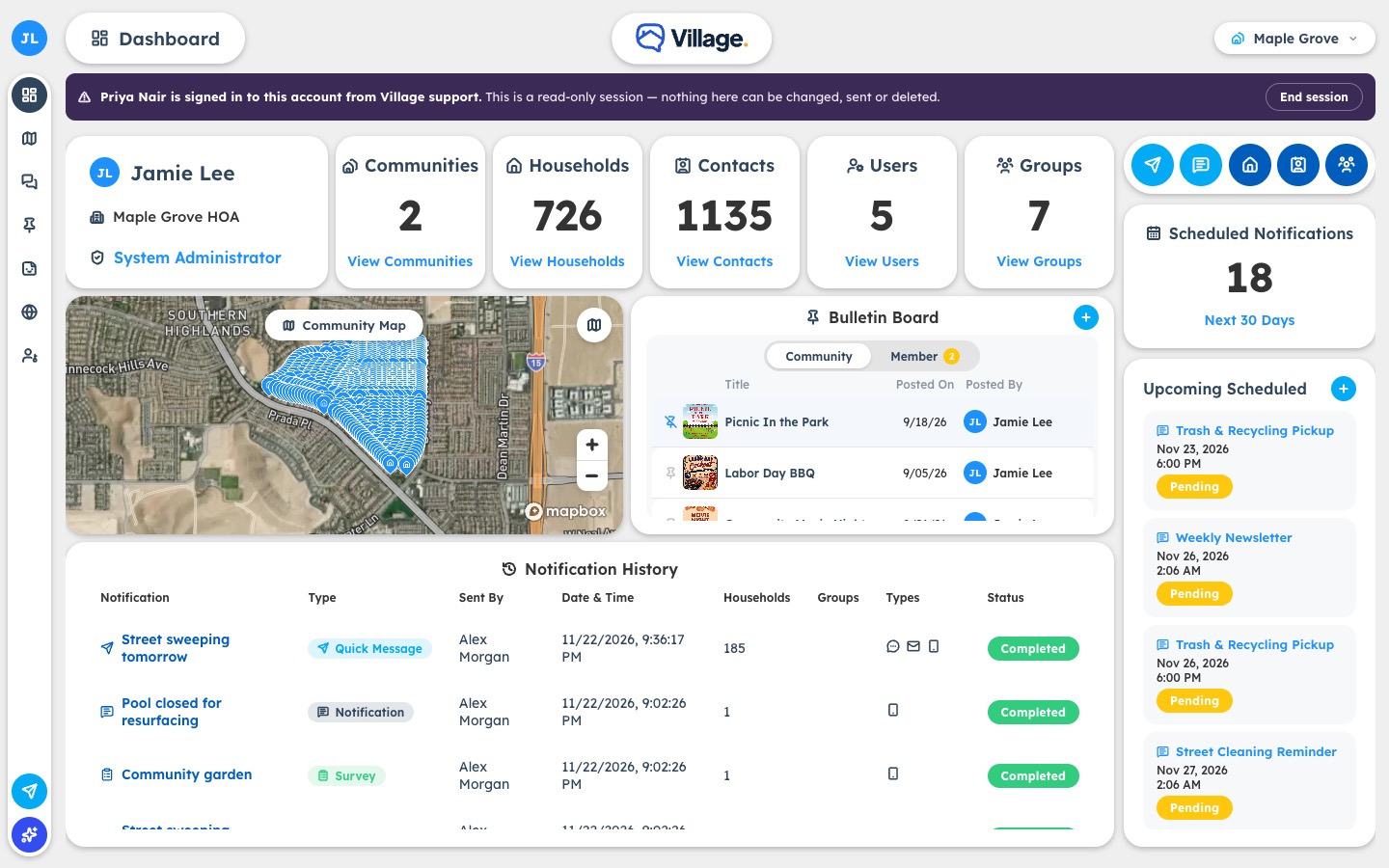
04A ghost session: give a reason, then open the customer's account read-only
Everything staff do to an account is written down beside it, with who did it, when, and why.
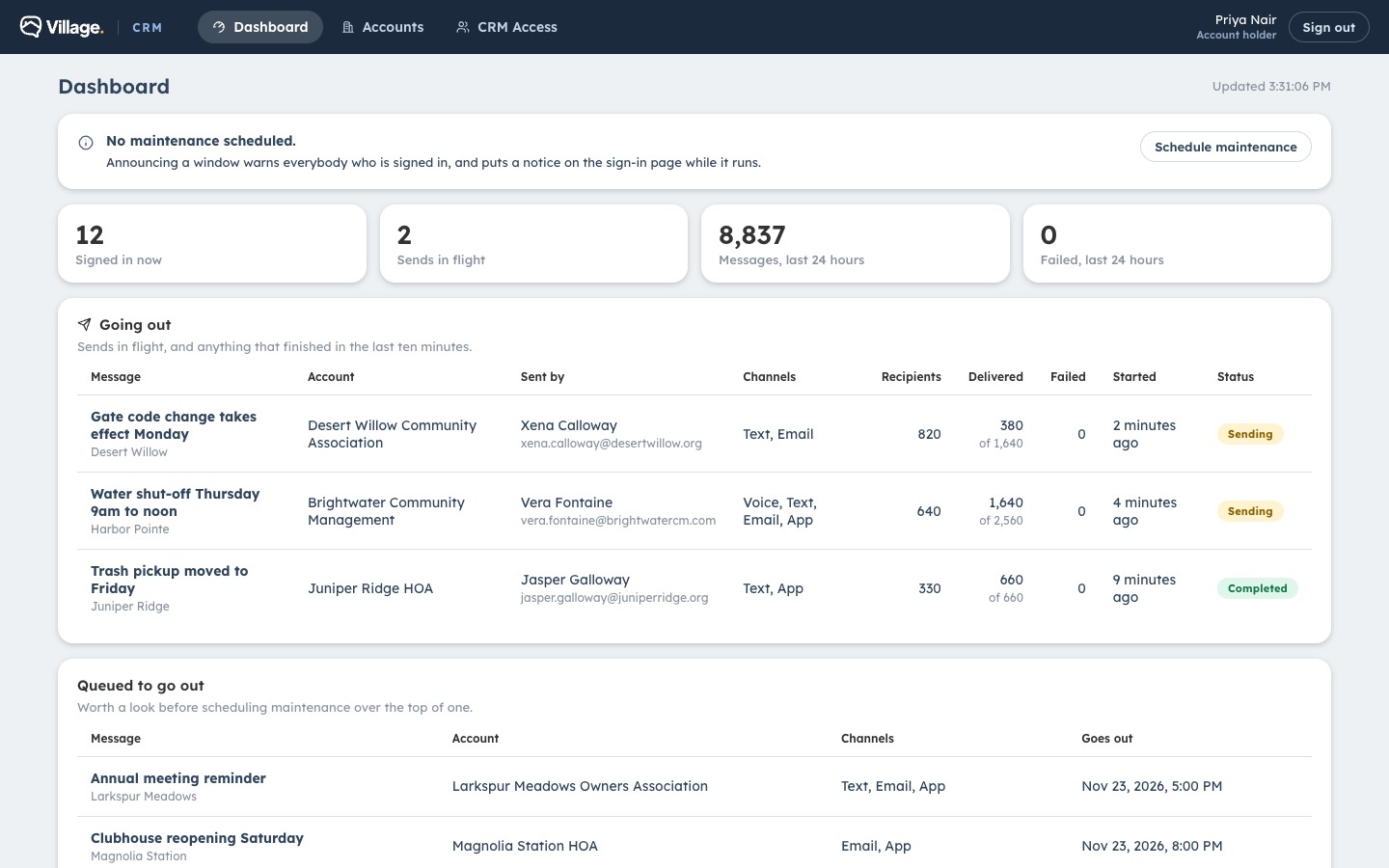
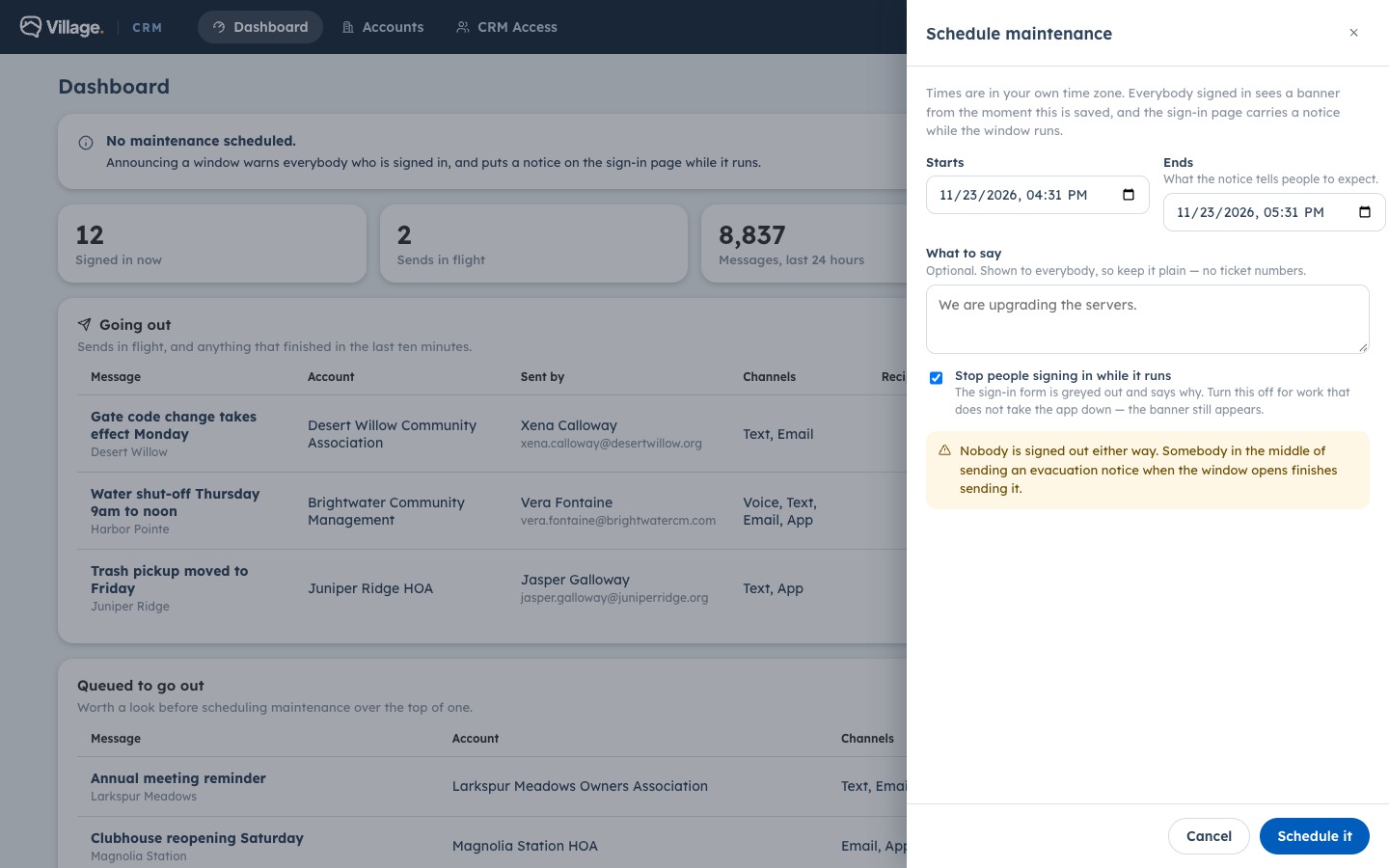
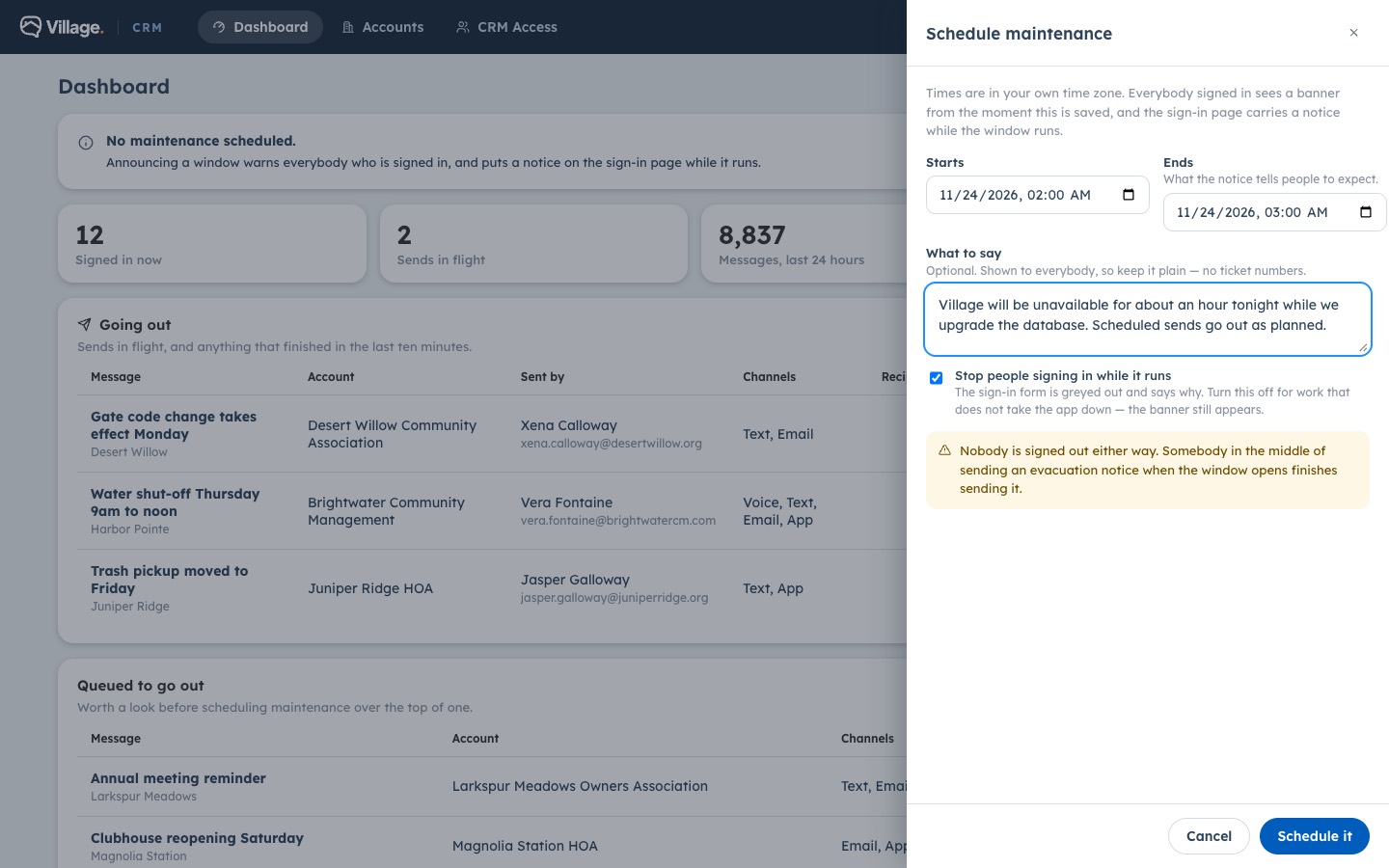
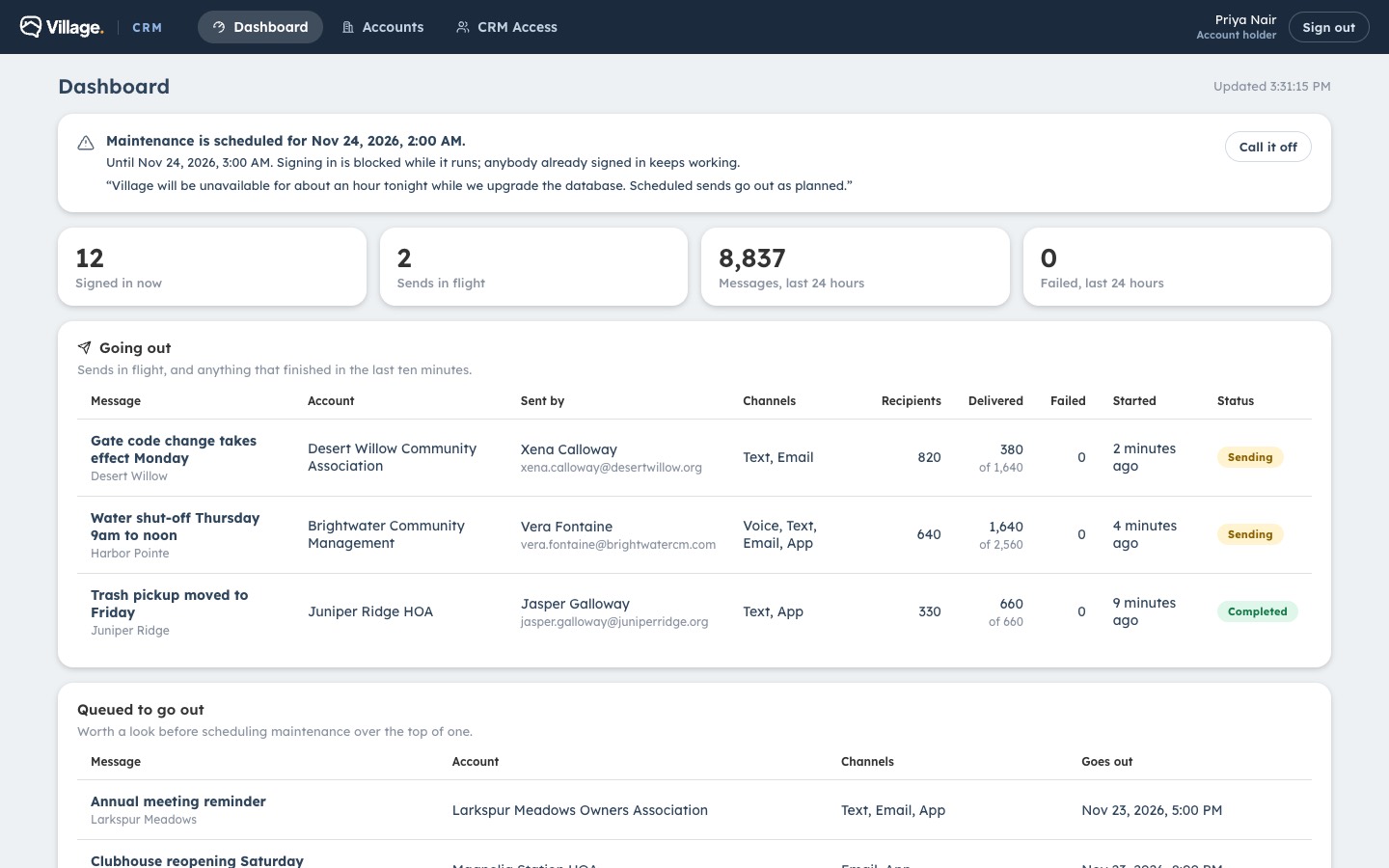
05Maintenance, announced before it happens
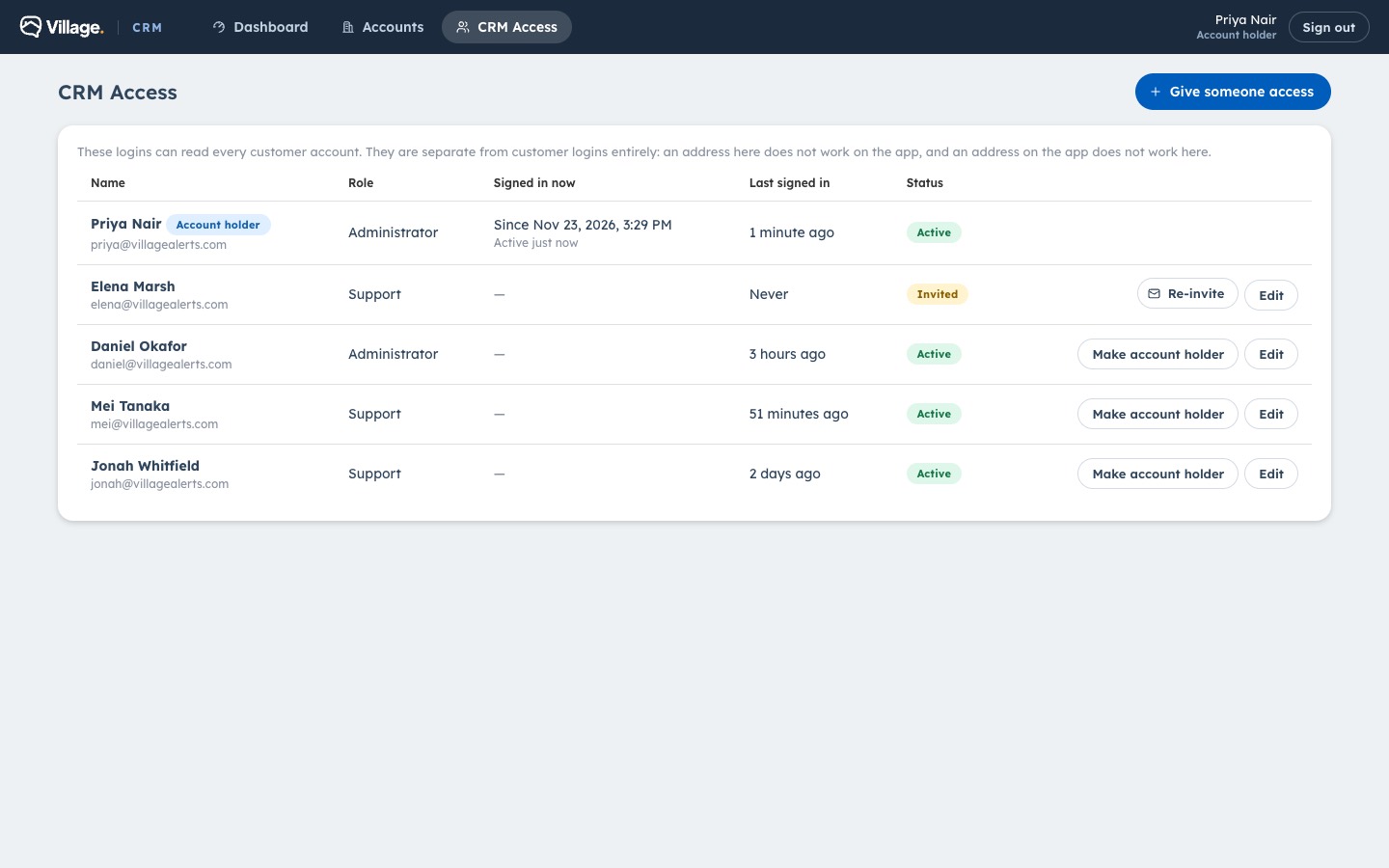
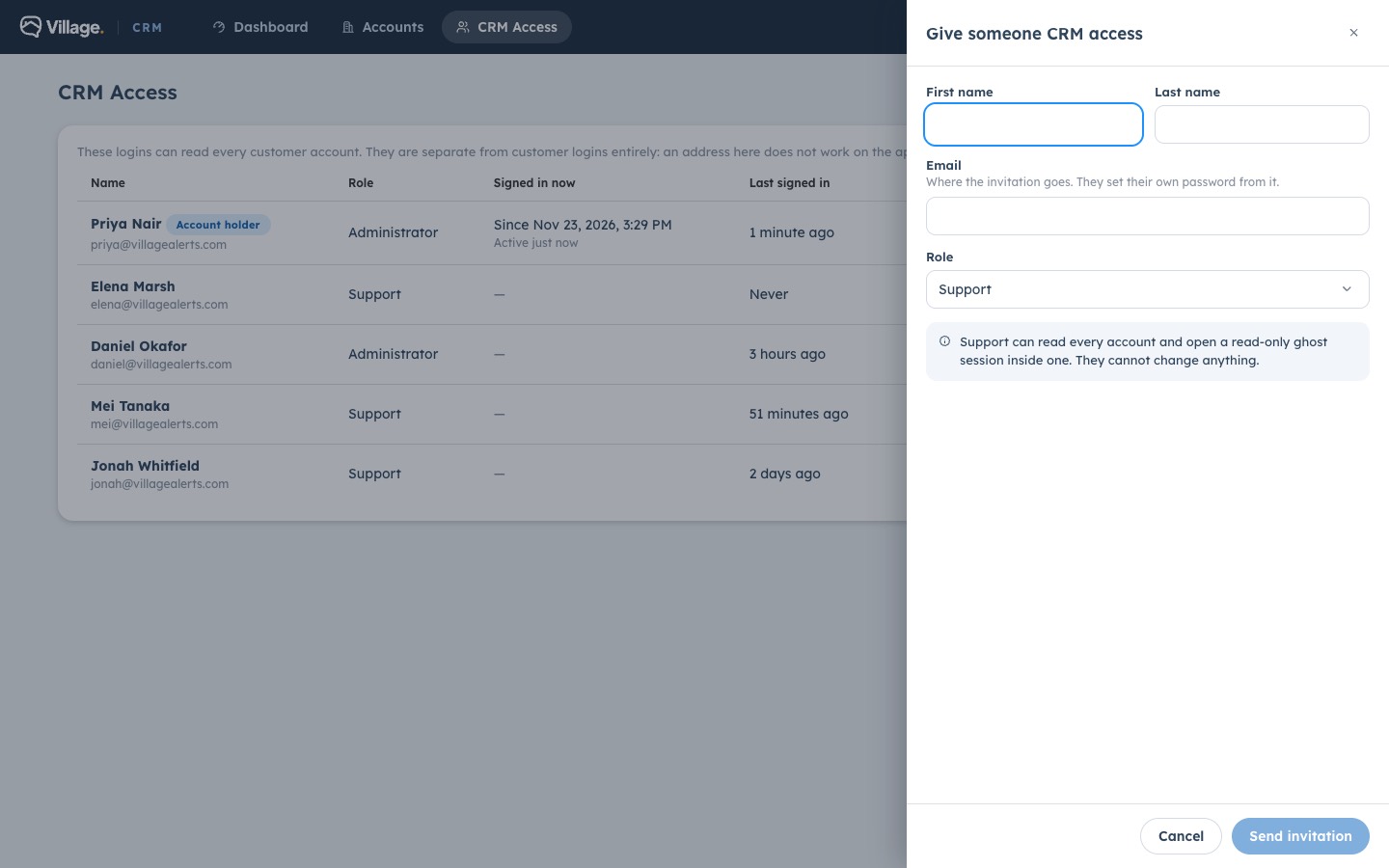
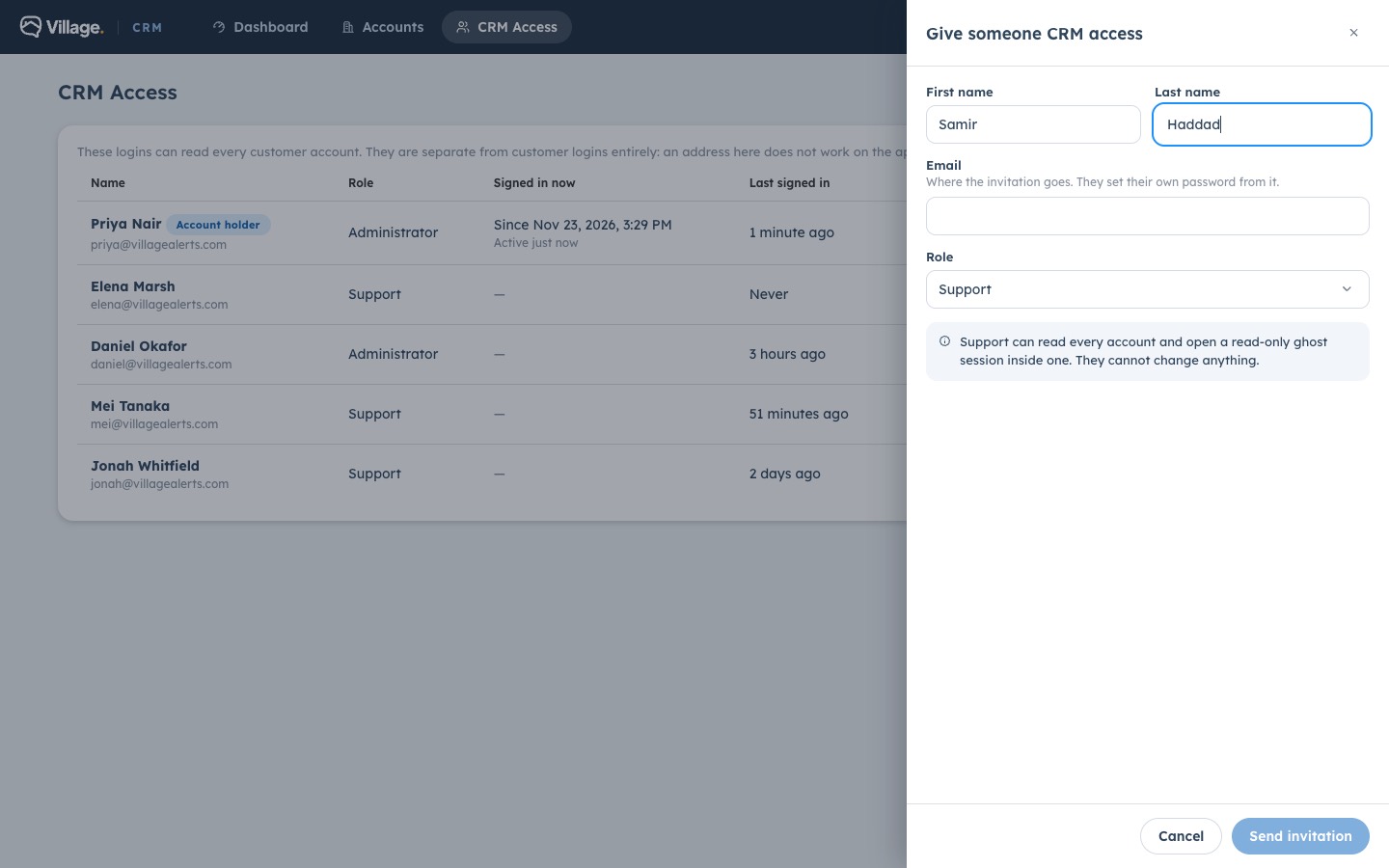
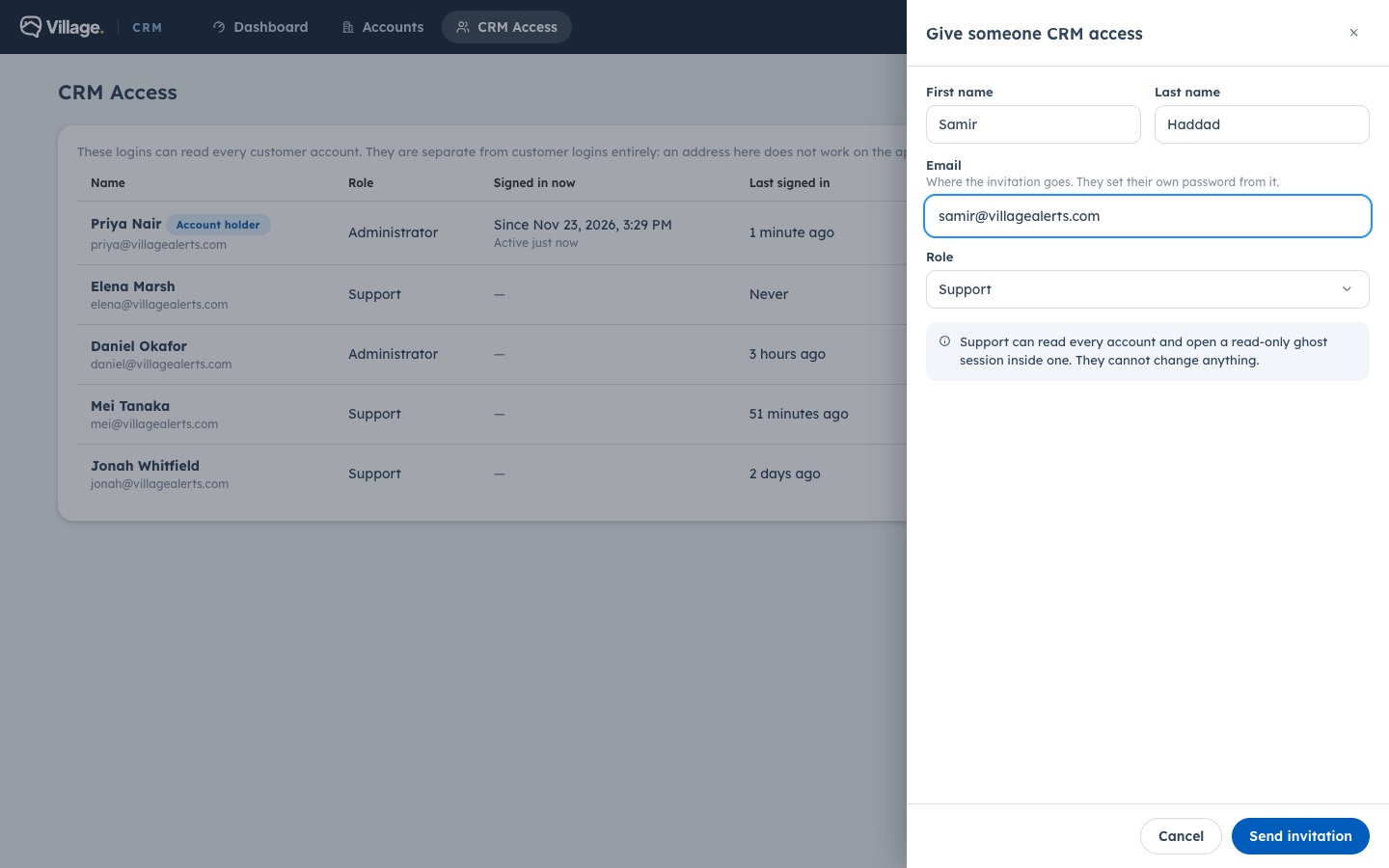
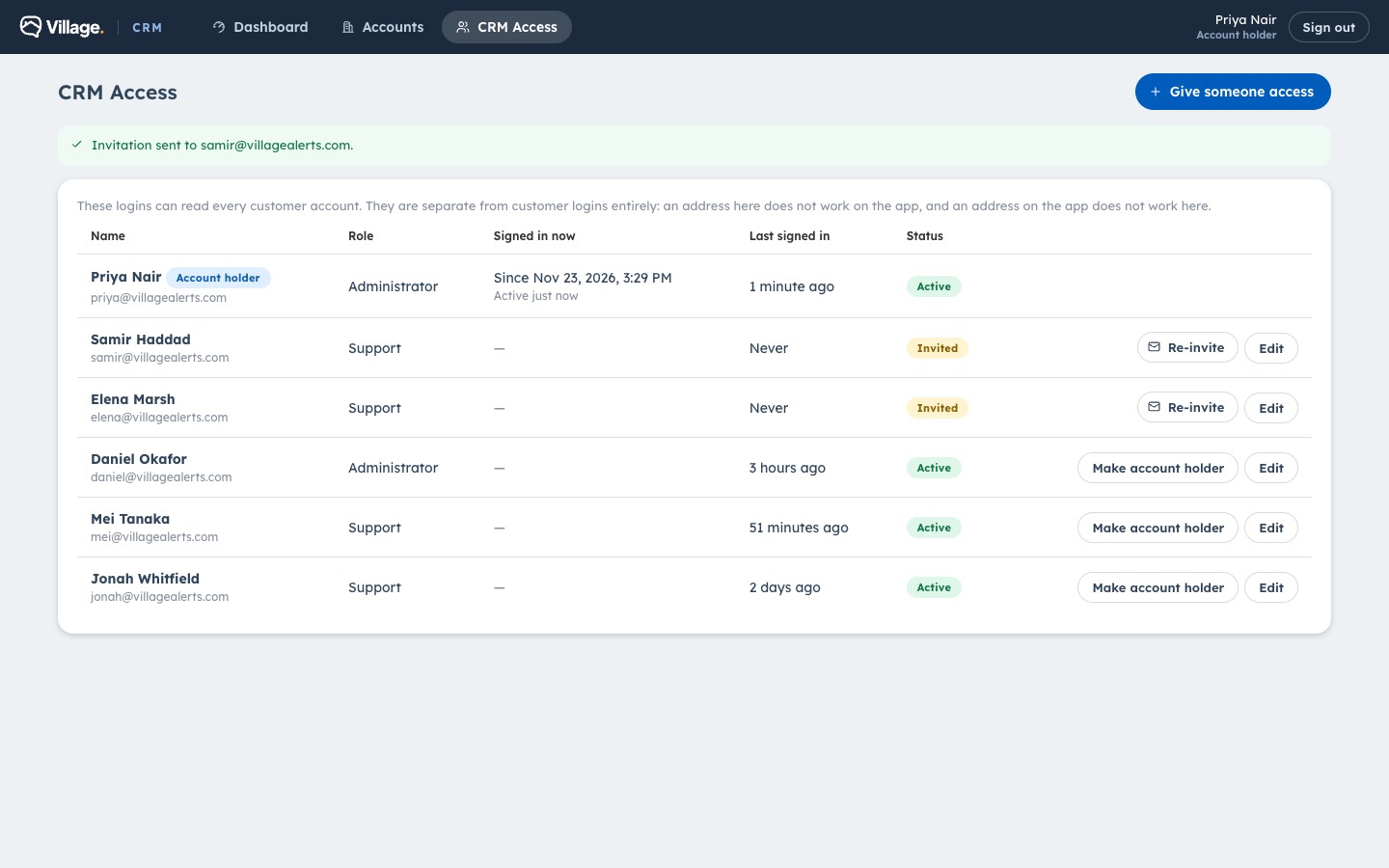
06CRM access: who on the team can do what
- ReactThe interface
- Node and ExpressThe server
- PostgreSQLAccounts, plans, the staff trail
- Separate staff sign-inA staff login never works on the customer app
- One-time support linksValid for a minute, used once
- Read-only sessionsRefused by the server, not hidden by the screen
07What it runs on
More work for Village
Start a project
What do you need? Choose any that apply.
or write to connect@hexagram.design